GitHub Actions Usage Guide
Build Pake apps online without installing development tools locally.
Quick Steps
In your fork, open the Actions tab, select
Build App With Pake CLI, fill in the form (same parameters as CLI options), and clickRun Workflow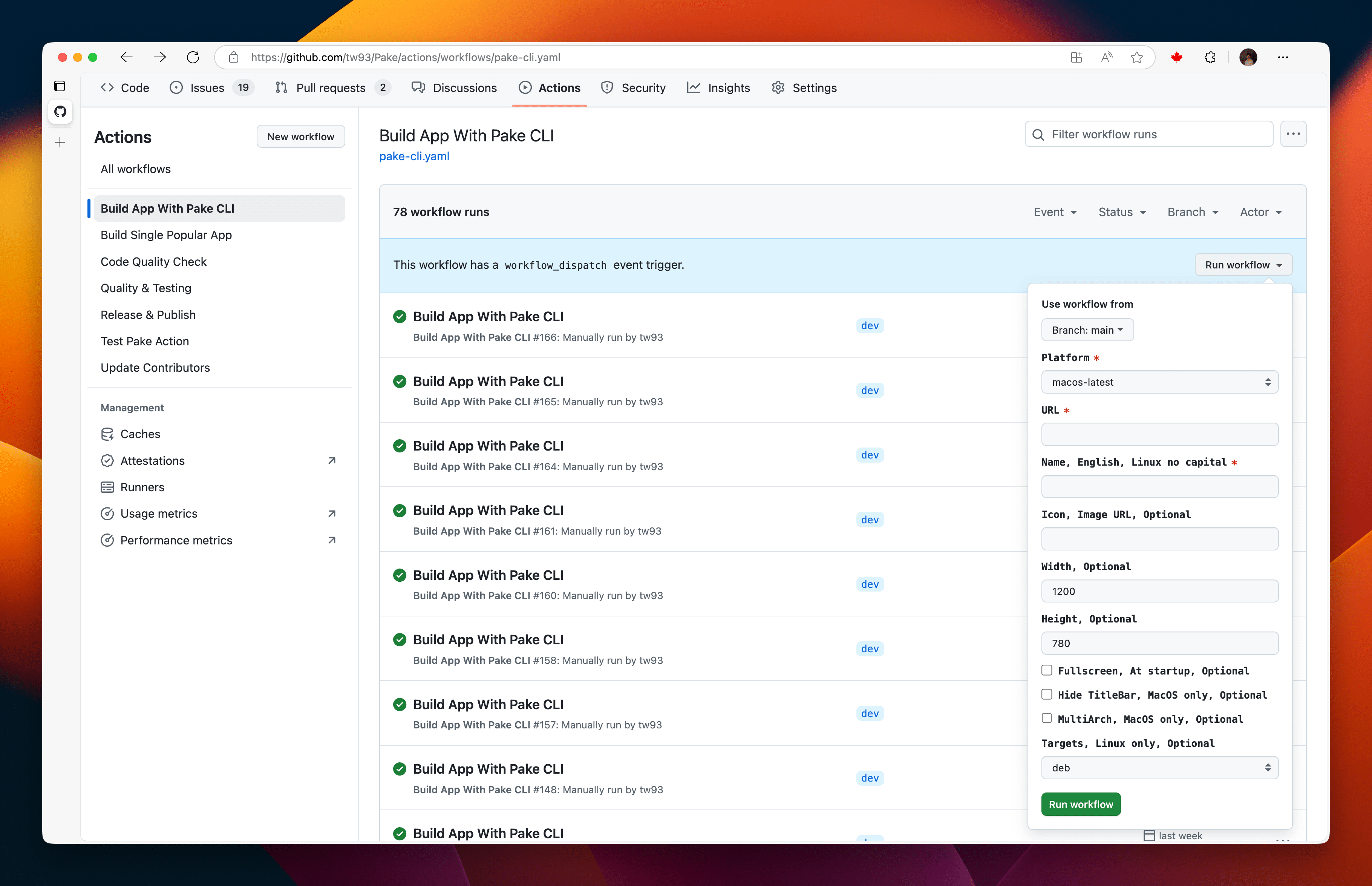
A green checkmark means the build succeeded, click the workflow name and download your app from the
Artifactssection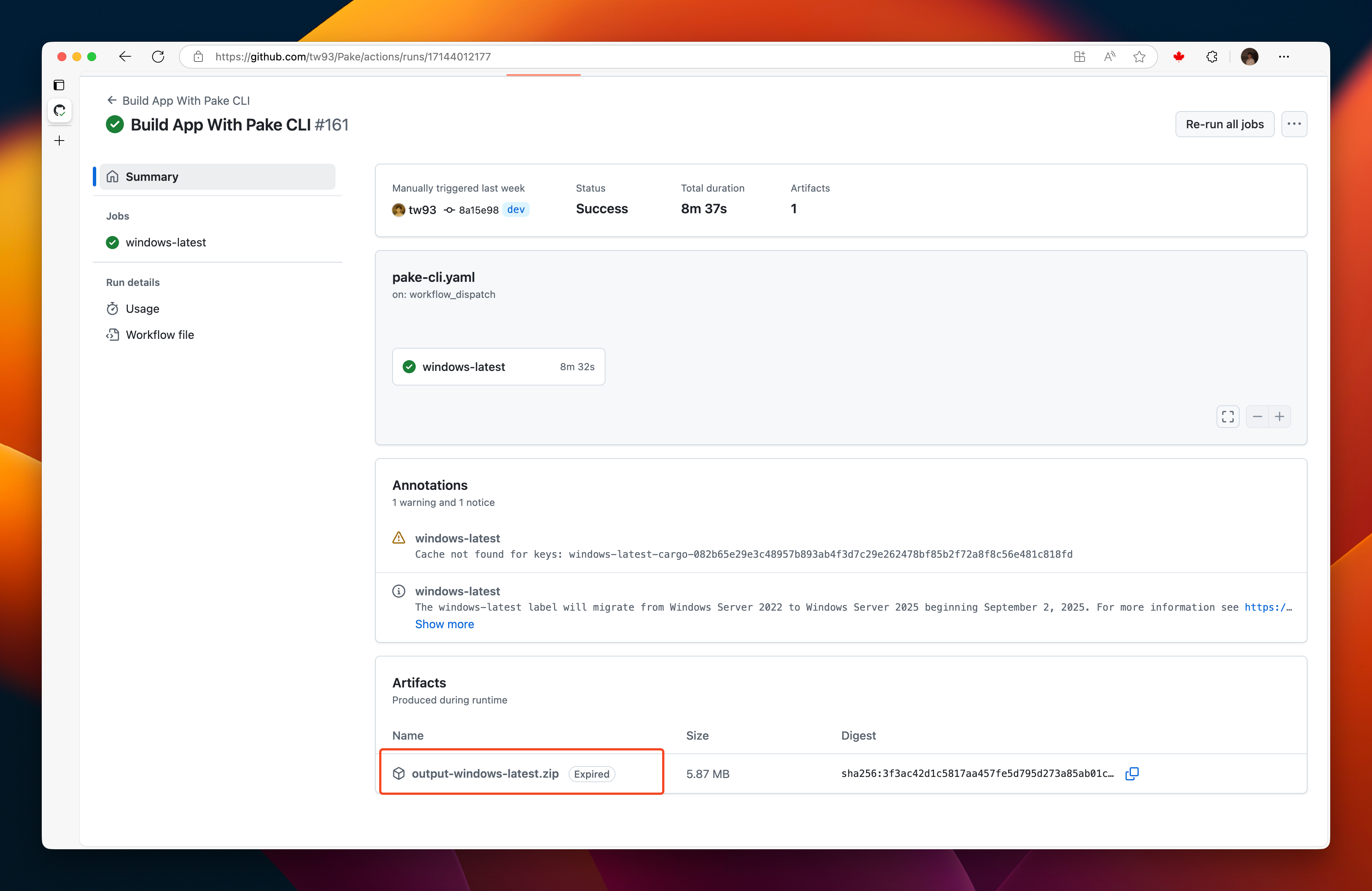
The first run builds the dependency cache and takes about 10-15 minutes, later runs use the cache and take about 5 minutes, and the complete cache is 400-600MB.
Form Inputs
| Field | What it does | Default |
|---|---|---|
Platform | Runner to build on: windows-latest, macos-latest or ubuntu-24.04 | macos-latest |
Website URL | The site to package, required | none |
App name (lowercase for Linux) | App name and artifact prefix, required | none |
Icon URL, auto-fetch if empty | Icon for the app, fetched from the site when empty | empty |
Window width (px) | Initial window width | 1200 |
Window height (px) | Initial window height | 780 |
Minimum window width (px) | Smallest width the window can shrink to | empty |
Minimum window height (px) | Smallest height the window can shrink to | empty |
App version | Version written into the package | 1.0.0 |
Start in fullscreen mode | Open the app in fullscreen | off |
Hide title bar (macOS only) | Hide the window title bar | off |
Allow sites to open new windows | Let the site open pop-up windows | off |
Universal binary (macOS only) | Build one app for Intel and Apple Silicon | off |
Package formats (comma-separated: deb,appimage,rpm,zst) | Linux package formats, ignored on other platforms | deb |
Artifacts
Each run uploads the package as an artifact named after the app: <name>-macOS holds the .dmg, <name>-Windows the .msi, and Linux gets one artifact per format, <name>-Linux-deb, <name>-Linux-AppImage, <name>-Linux-rpm and <name>-Linux-zst. Artifacts are kept for 3 days, so download them soon after the build. Instead of the Artifacts section, you can also fetch them with the GitHub CLI: gh run download RUN_ID.
Tips
- Enable
Allow sites to open new windowswhen the site launches sign-in, exam, or other flows in a separate window - If a build fails, clear the Actions cache and retry
Related Docs
For a step-by-step walkthrough, with every form input, the artifact names and what to do when a run fails, read Build a website app with Pake on GitHub Actions.